Rebuilding the revenue planning feature from scratch
ScalePoynt needed its most important feature rebuilt. The GTM Scorecard, where founders plan revenue across three fiscal years broken down by channel, region, and market segment, was a table. I had three weeks and no existing reference designs to work from. There was a lot to figure out.
Category
B2B SaaS
work type
Web & Mobile App
Year
2026
Duration
3 weeks
Rebuilding the revenue planning feature from scratch
ScalePoynt needed its most important feature rebuilt. The GTM Scorecard, where founders plan revenue across three fiscal years broken down by channel, region, and market segment, was a table. I had three weeks and no existing reference designs to work from. There was a lot to figure out.
Category
B2B SaaS
work type
Web & Mobile App
Year
2026
Duration
3 weeks
Context
The Platform
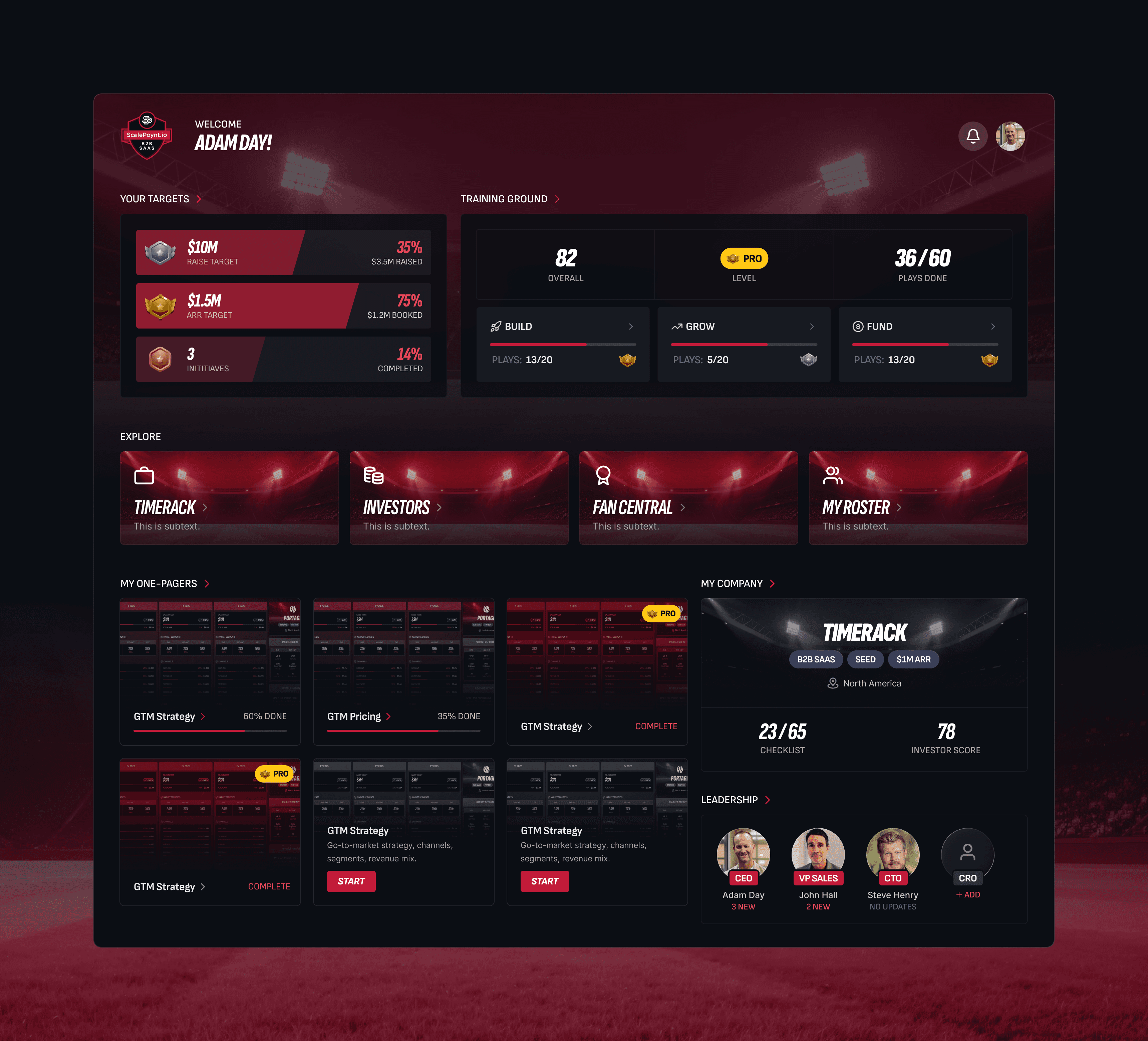
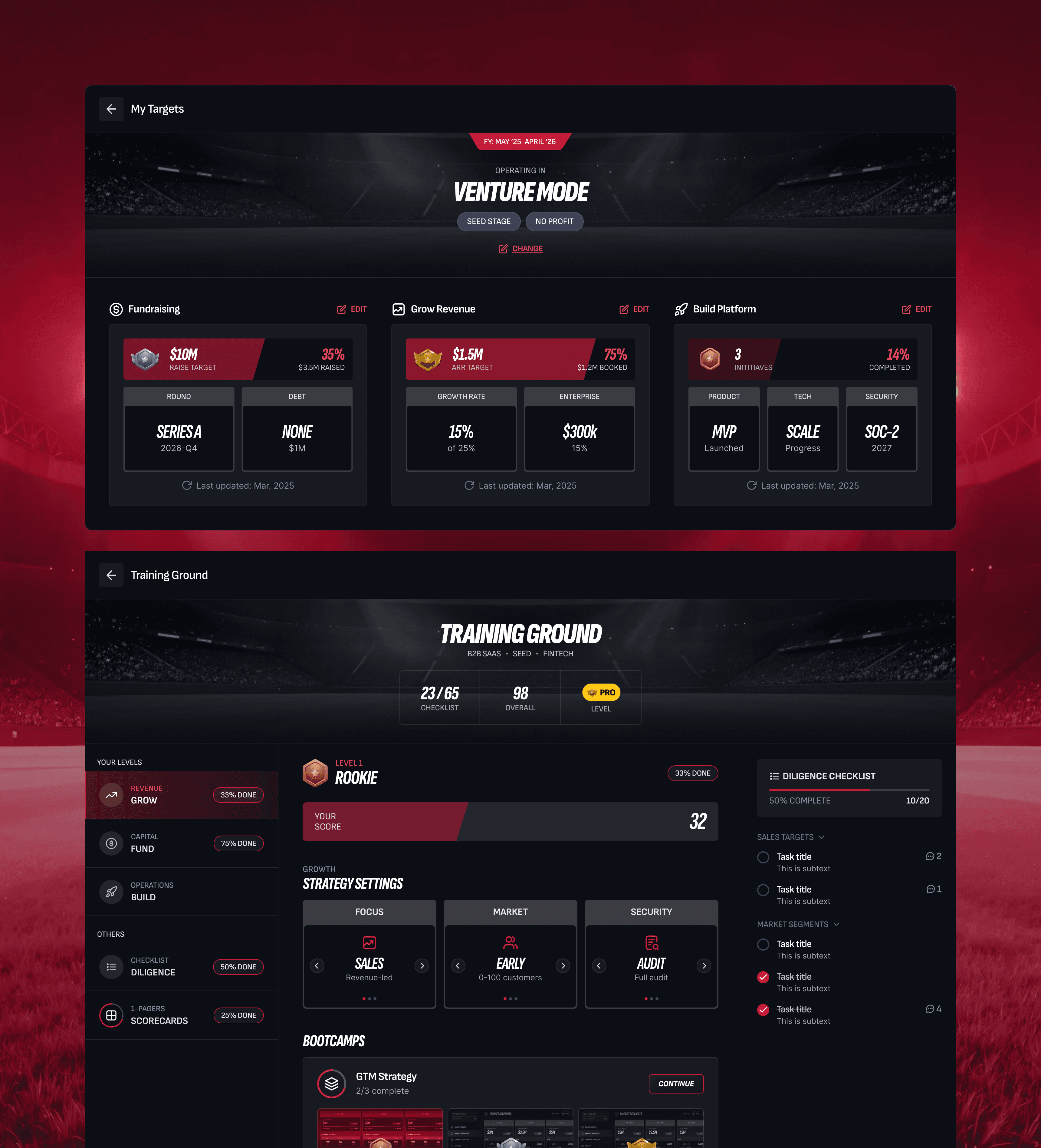
ScalePoynt is a B2B SaaS tool for startup founders. It helps them plan their go-to-market strategy, track their progress, and put together the kind of materials that make investors take the meeting seriously.
The GTM Scorecard is one of its core features. Founders use it to set revenue targets across three fiscal years, broken down by channel, region, and market segment. It’s part planning tool, part investor artifact, something you build privately and then hand across a table.

The Problem
The feature that mattered most
was the hardest to use
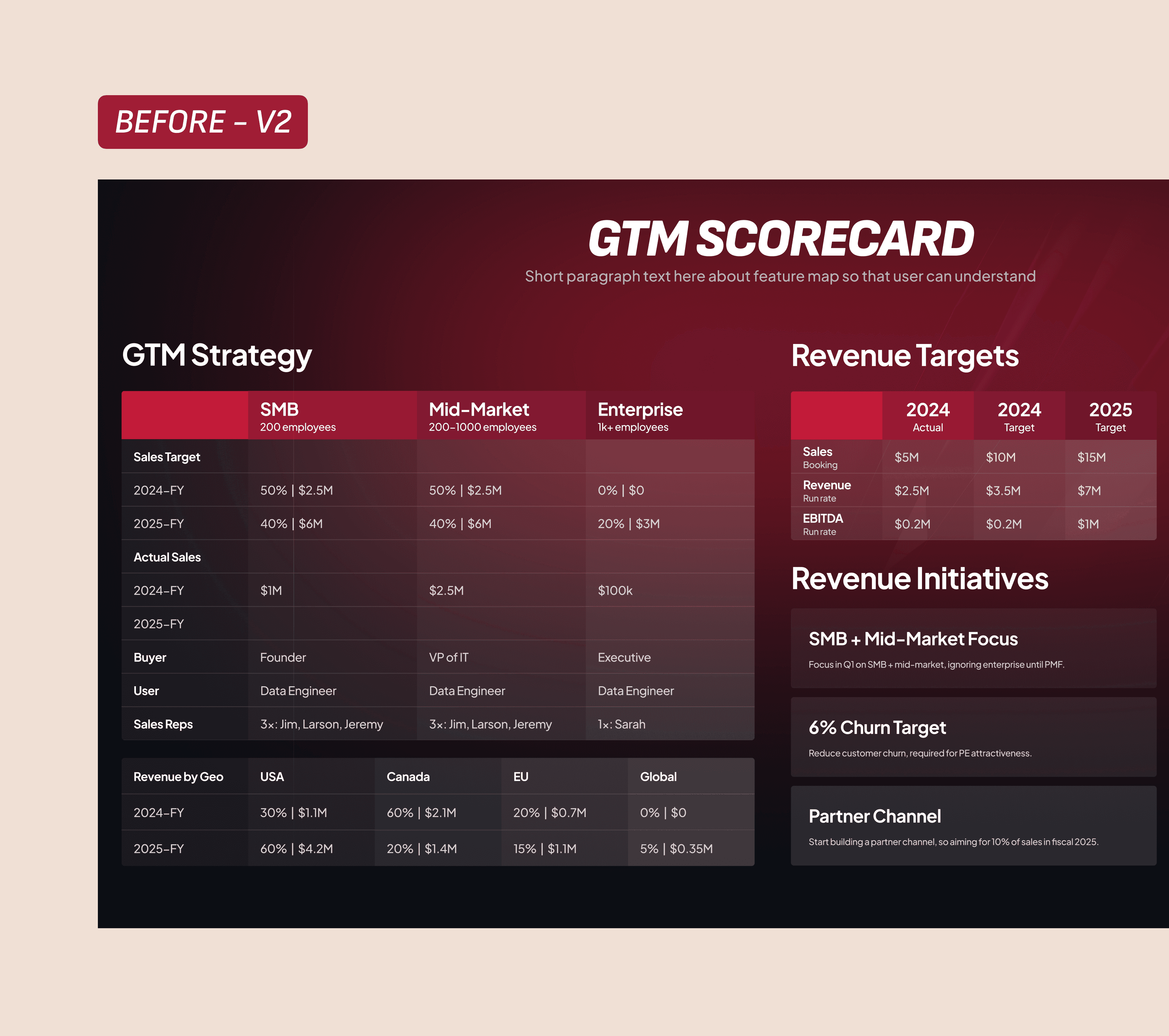
The existing Scorecard was a table. One screen, all the data: sales targets, channel splits, geo breakdowns, two years of actuals plus a three-year forecast. There was no visual hierarchy. Numbers sat in rows with no sense of what mattered more than what else.
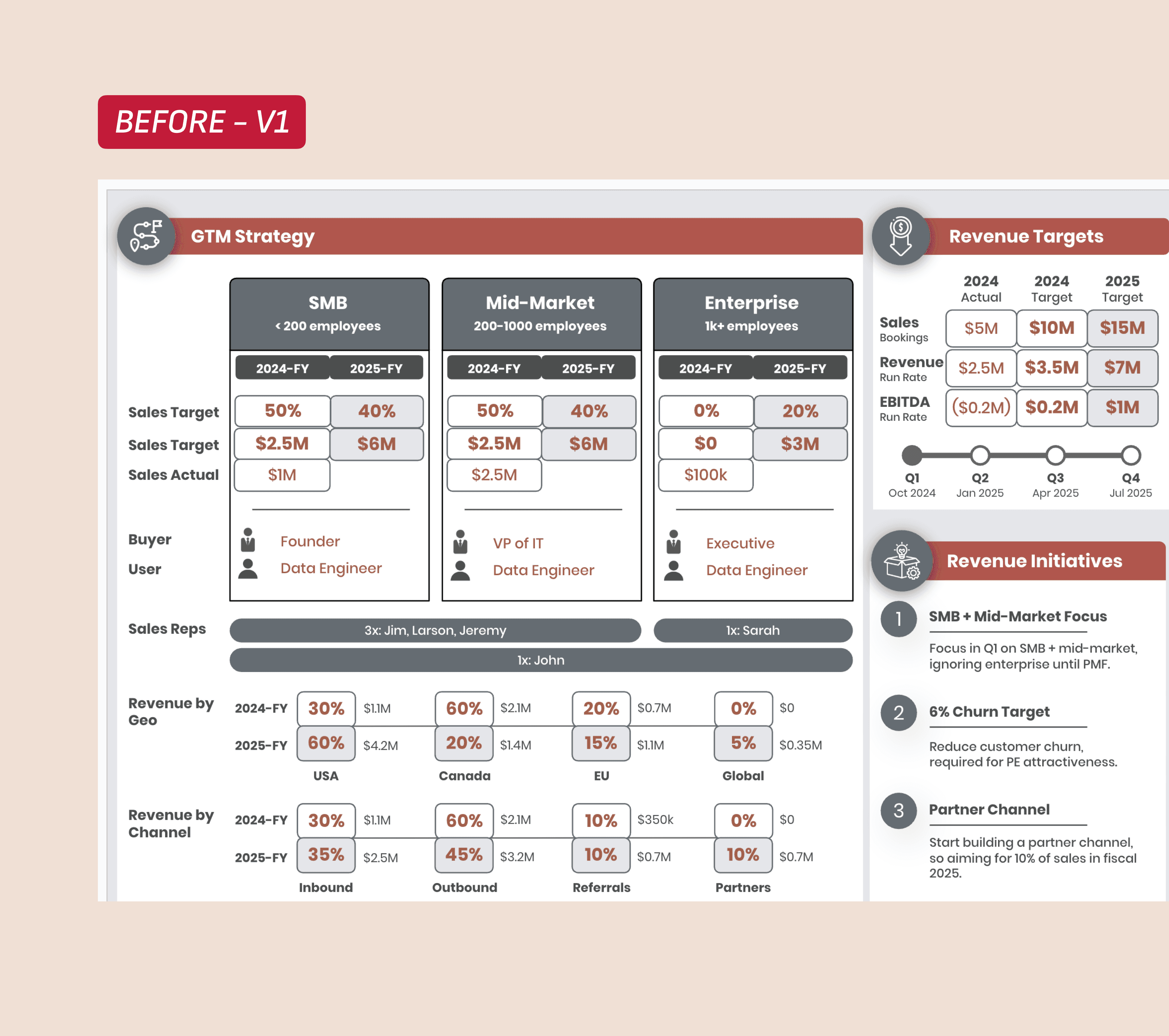
Editing it was worse. Founders were modifying cells in what was basically a formatted spreadsheet embedded in a web app. On a tablet it barely worked. On mobile it was unusable.
The thing that kept coming up in feedback: founders wanted to use the Scorecard in investor meetings. They wanted to drop it into a pitch deck. A dense table wasn’t going to do that job.
Constraints
Three weeks, no precedent, nothing to cut
Three weeks from brief to handoff. I couldn’t find any reference designs for something like this, a founder-facing revenue scorecard that also needed to export cleanly as a pitch deck slide. I was working from scratch.
The brand wasn’t something I could move on. ScalePoynt has a sports-league visual identity, dark backgrounds, bold type, red accents, high contrast. Everything had to stay inside that world.

The data was the other hard constraint. Every data category- sales targets, market segments, channel allocation, geo breakdown, revenue initiatives — had to be on screen. Nothing could be hidden behind a click or pushed to a secondary page. The founder was clear about that. So the design problem was: how do you show all of this without it reading as noise?
Key Insights
I was trying to solve the wrong problem
For the first several days I was fixated on making one screen do everything. Show the data and let you edit it at the same time. Every layout I tried either made the view cluttered or made editing awkward. I kept adjusting the same broken idea.
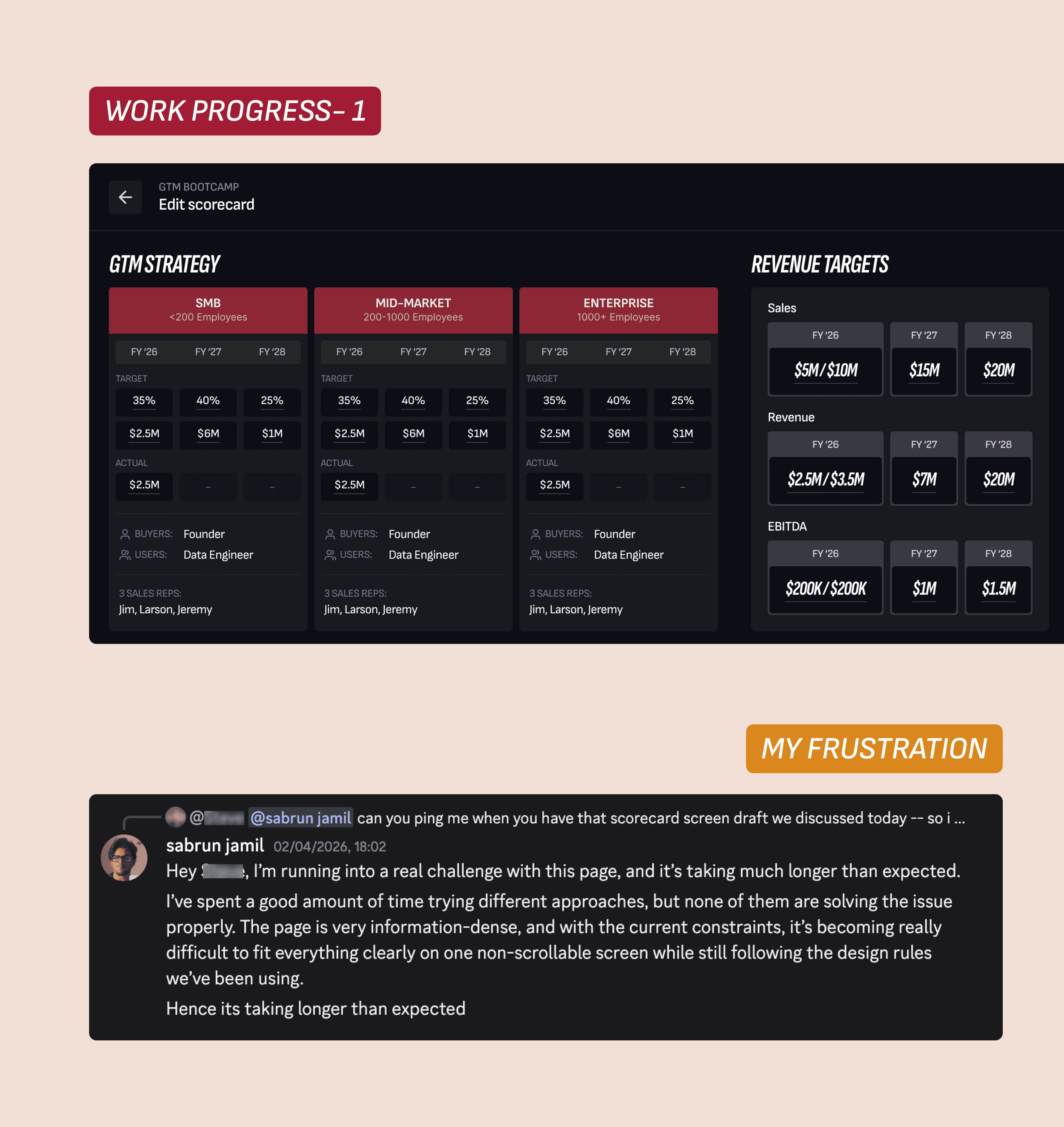
A few user conversations changed that. They weren’t asking for inline editing. They wanted two separate things: a clean view they could present, and a focused place to build and configure. Once I stopped trying to combine them, both screens became easier to design.
It sounds obvious in hindsight. It wasn’t obvious at the time.
Design Decision #1
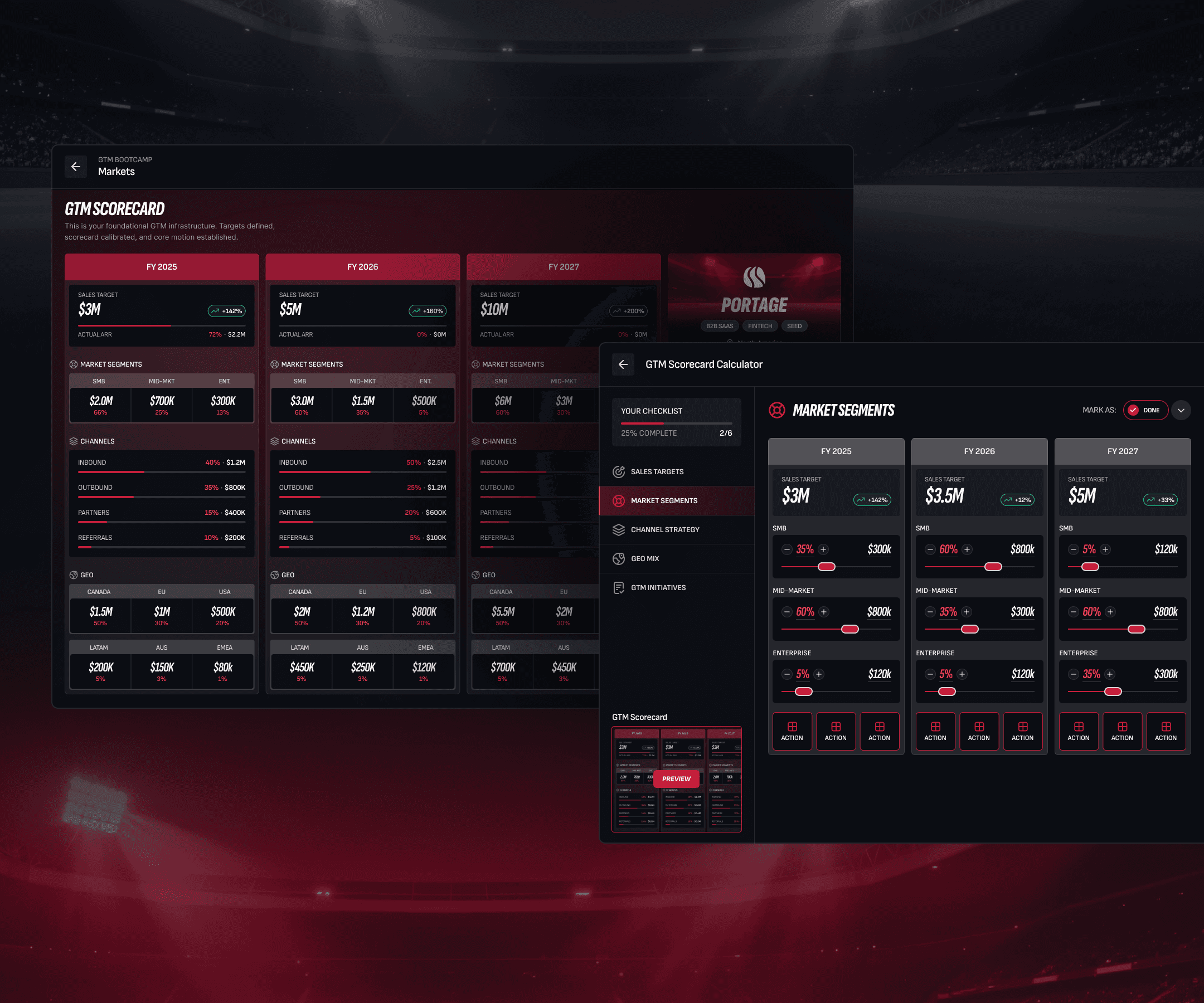
Splitting view and edit into two separate screens
The assumption going in was that a good design would let founders see their data and edit it from the same place. I tried modal overlays, expandable rows, and side panels. None of it worked well, either the view got cluttered or the editing controls didn’t have enough room to breathe.
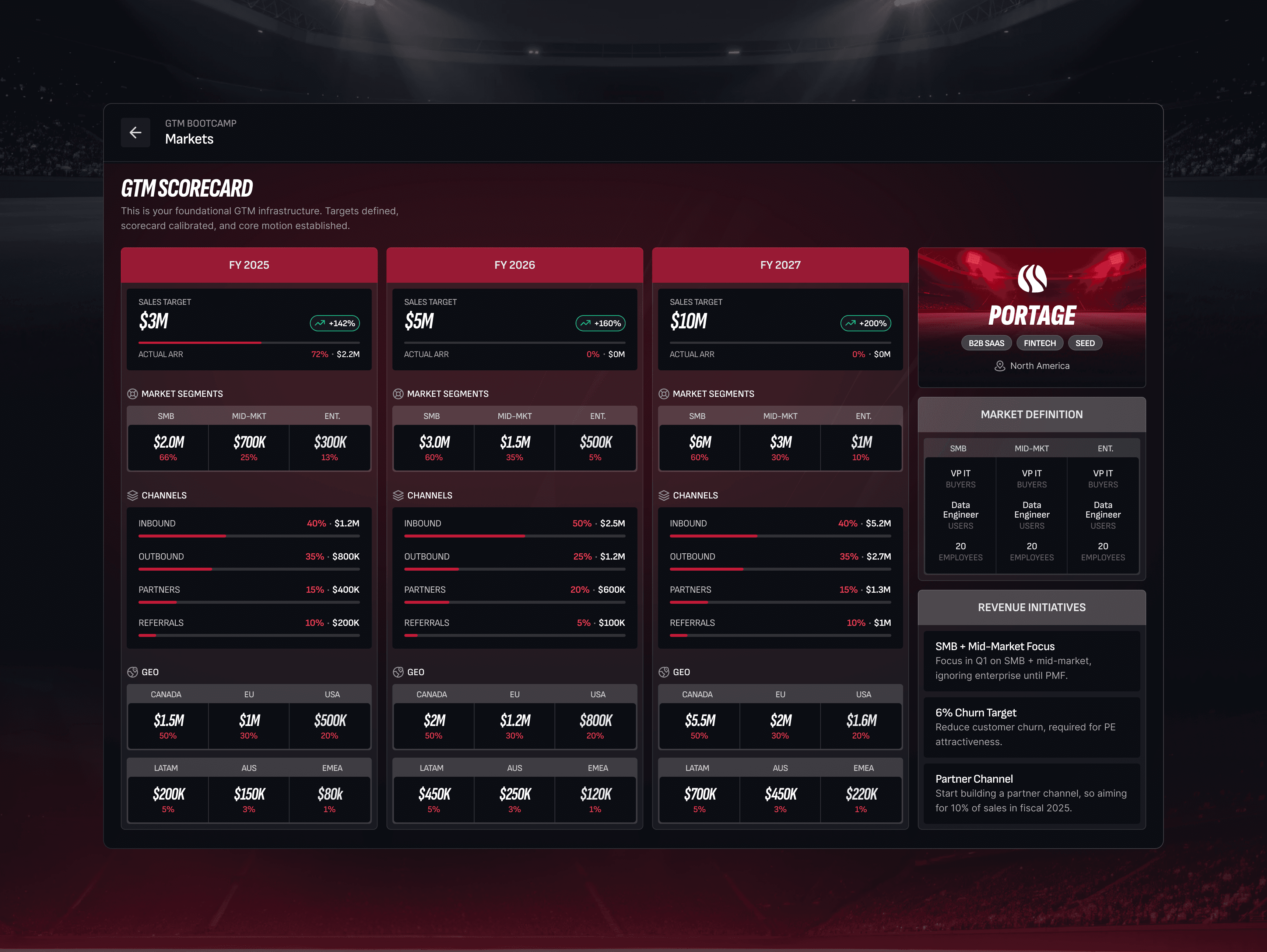
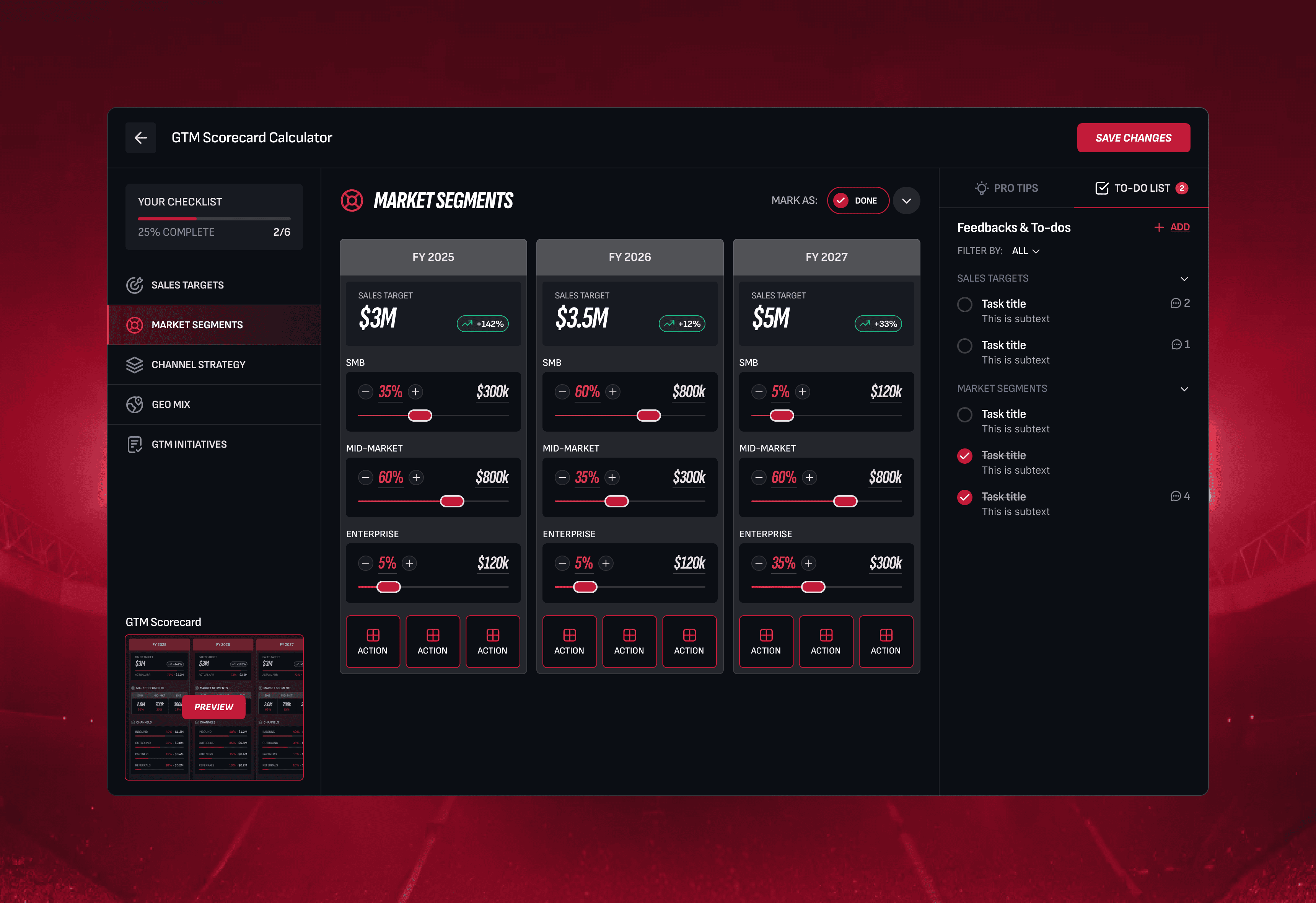
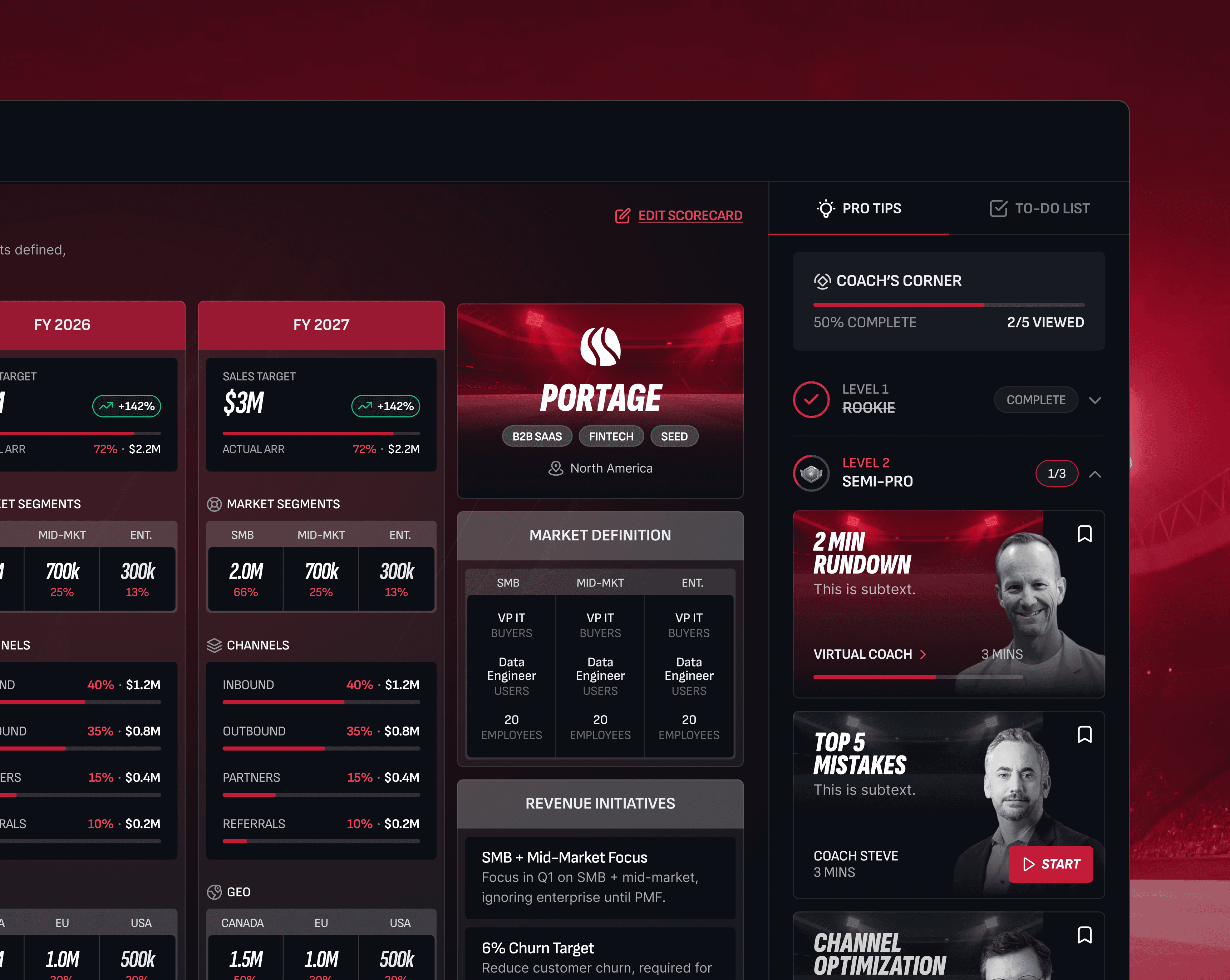
Talking to users made it clear they don’t actually want to do both at once. Viewing is for presenting. Editing is for building. Separating them meant each screen could be designed for one job, and a persistent “Edit Scorecard” button on the view screen kept the transition quick. The tradeoff: an extra click to get between modes, turned out not to matter.
Design Decision #2
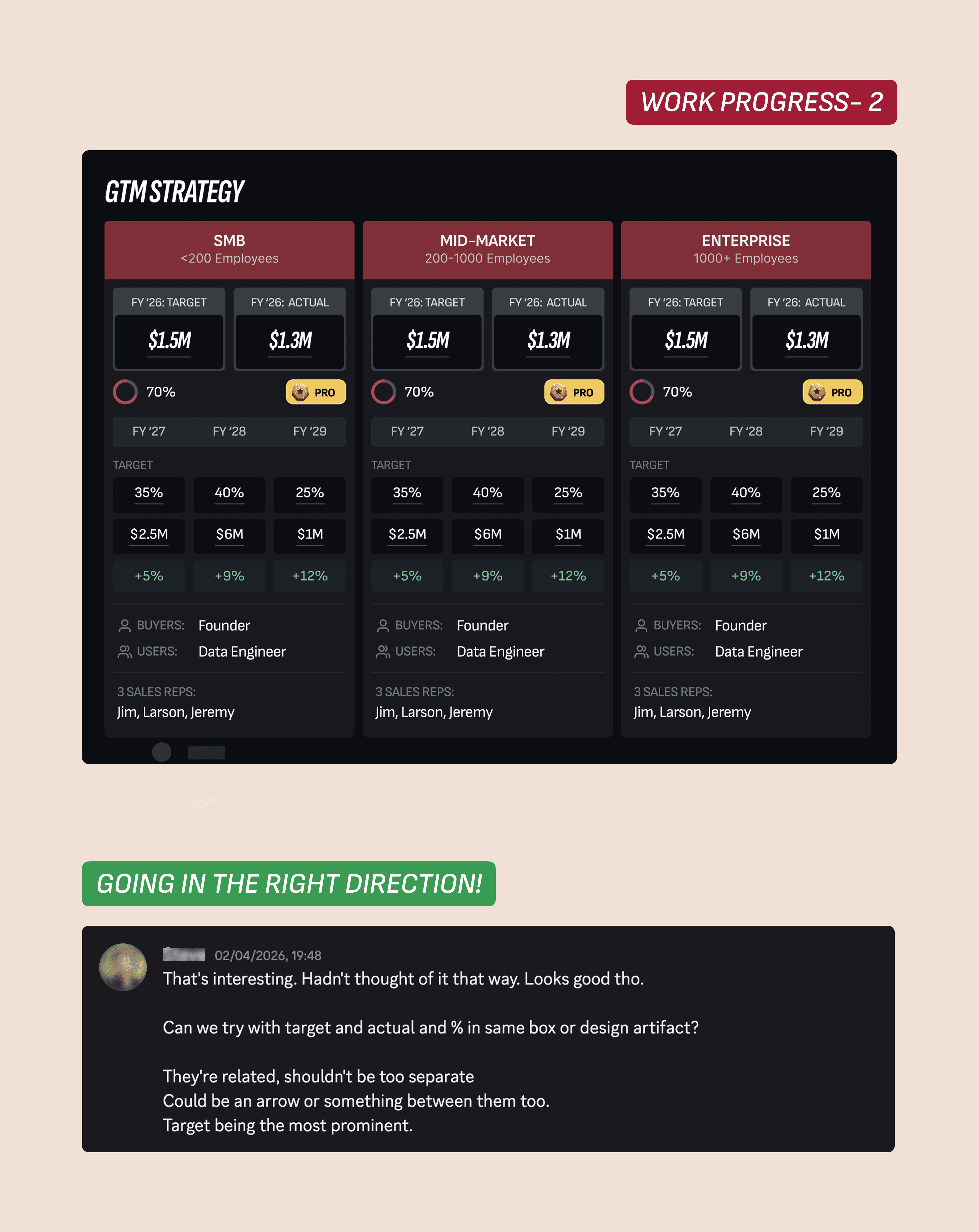
One card per fiscal year instead of a table
The data is year-over-year by nature. FY2025, FY2026, FY2027. In a table, that means columns, which means horizontal scanning, which is slow and hard to read when there’s also a vertical breakdown of segments and channels running through it.
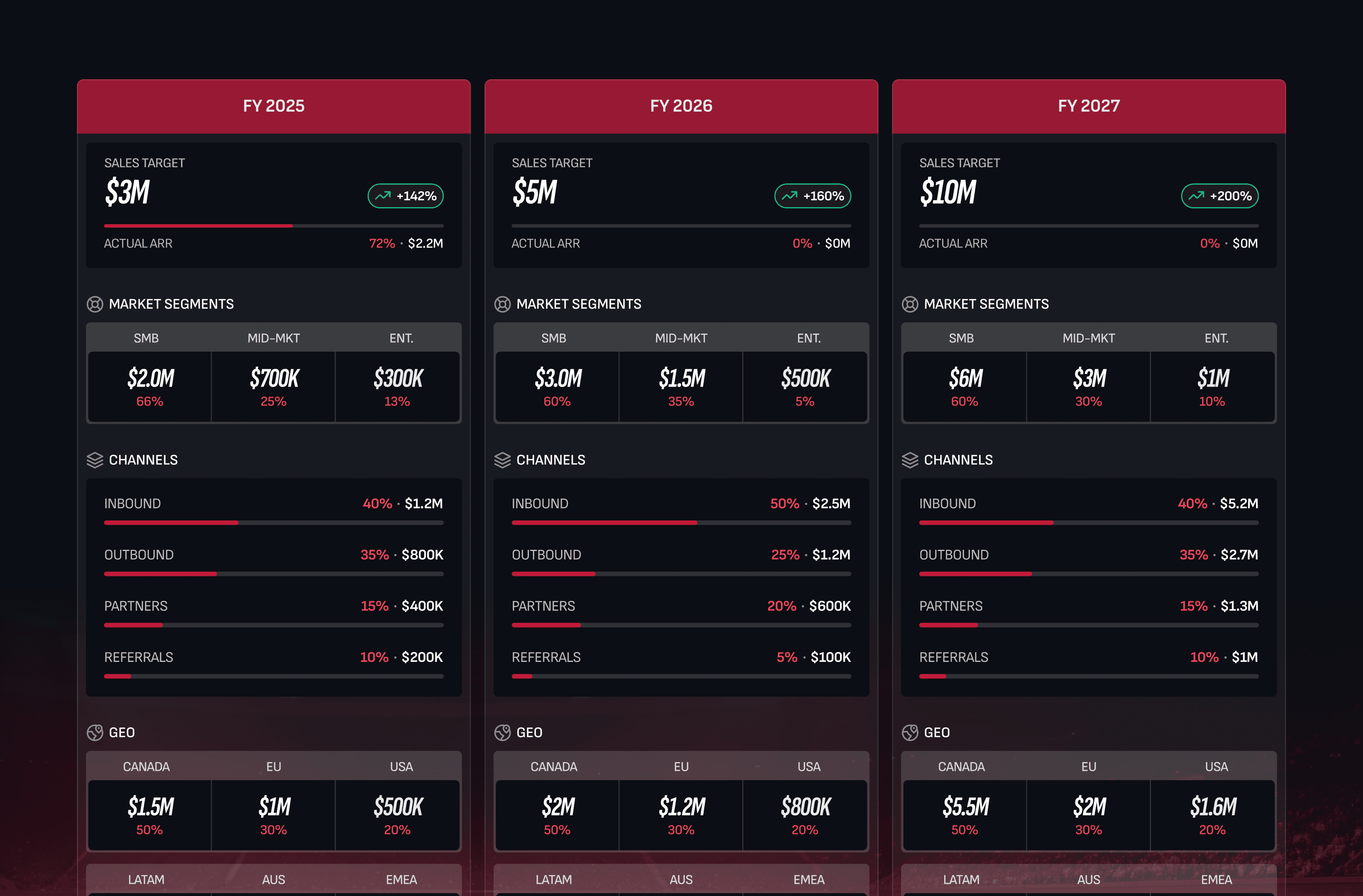
Giving each fiscal year its own card meant founders could read a full year top to bottom before comparing across. It also fit the sports aesthetic, it looked like a scoreboard rather than a report. The hard part was fitting three year-cards and a Company Profile panel on one screen without things feeling crowded. That came down to type scale: large numbers for the headline metrics, small type for the breakdowns underneath.
Design Decision #3
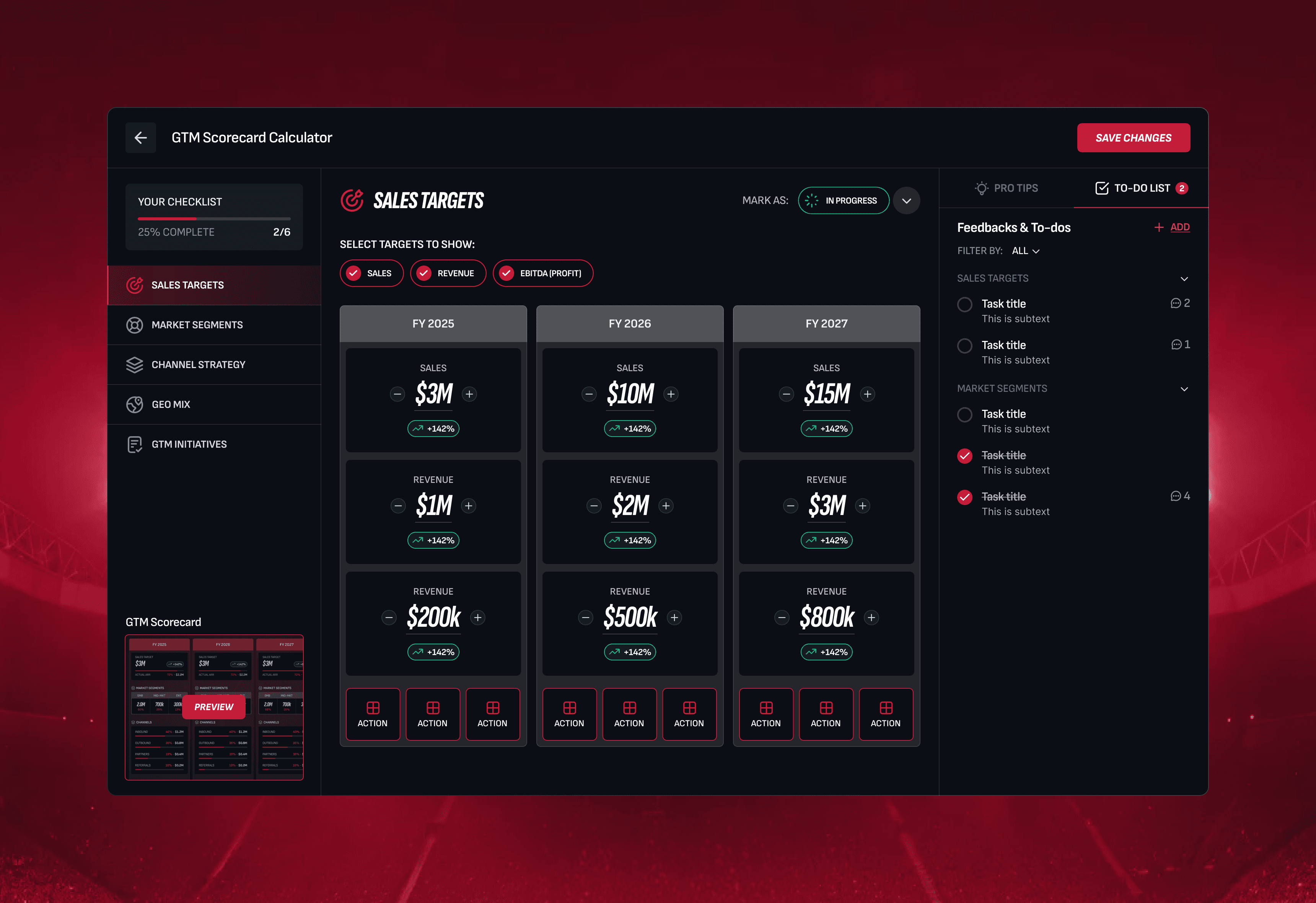
Section-by-section navigation in the Builder
The Builder covers five categories: Sales Targets, Market Segments, Channel Strategy, Geo Mix, and GTM Initiatives. My first instinct was to put it all on one long scrollable page. It was too much. A tab bar was the next option, but tabs felt too flat for the amount of configuration involved.
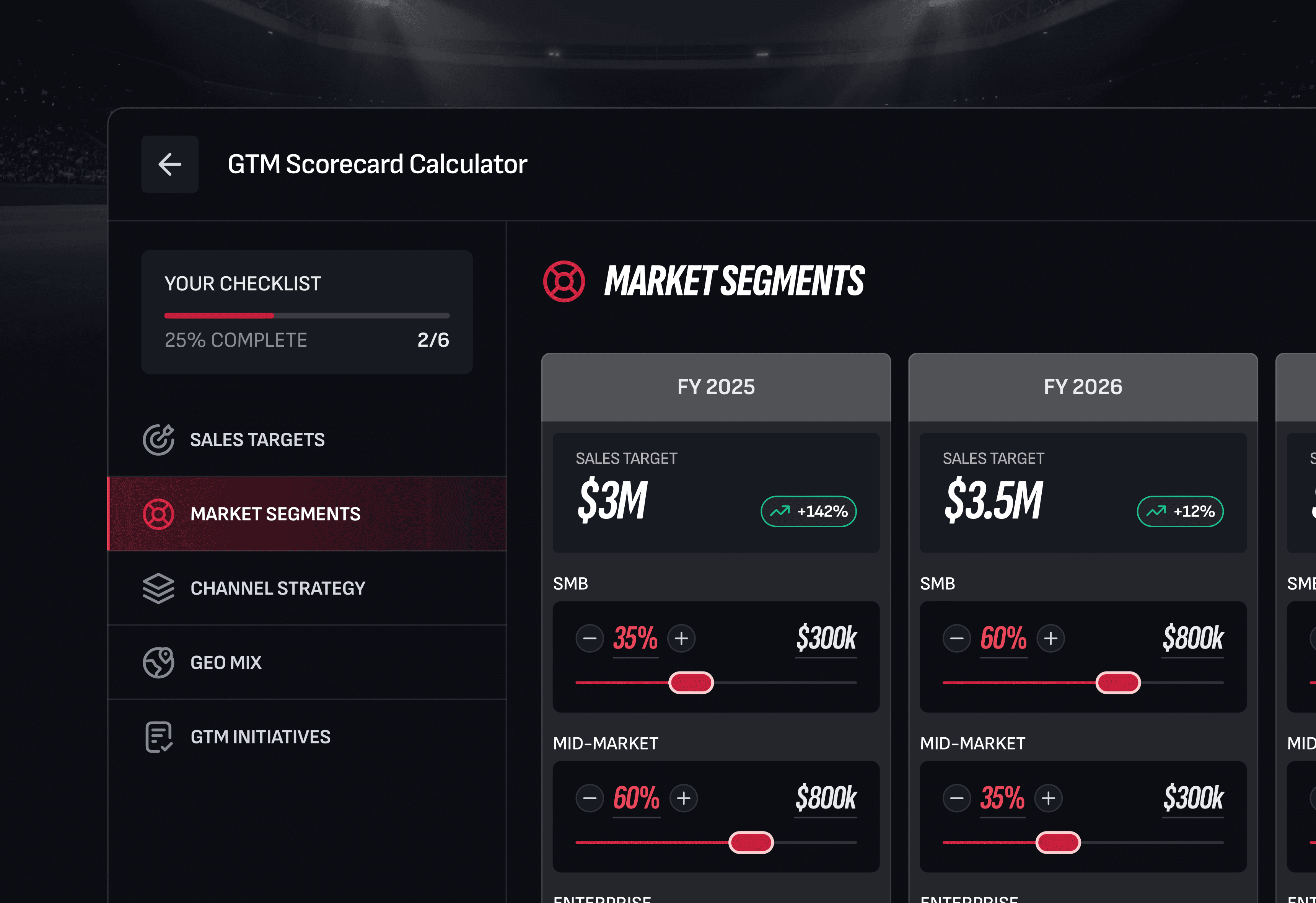
I ended up with a persistent left nav that acts as a checklist. Founders can see where they are, what they’ve done, and what’s left. Each section opens in the main area, and a small preview of the Scorecard in the bottom corner updates as you go. That preview was important, it connects what you’re configuring to what the final output will look like.
AI in the process
How I used Claude to move faster
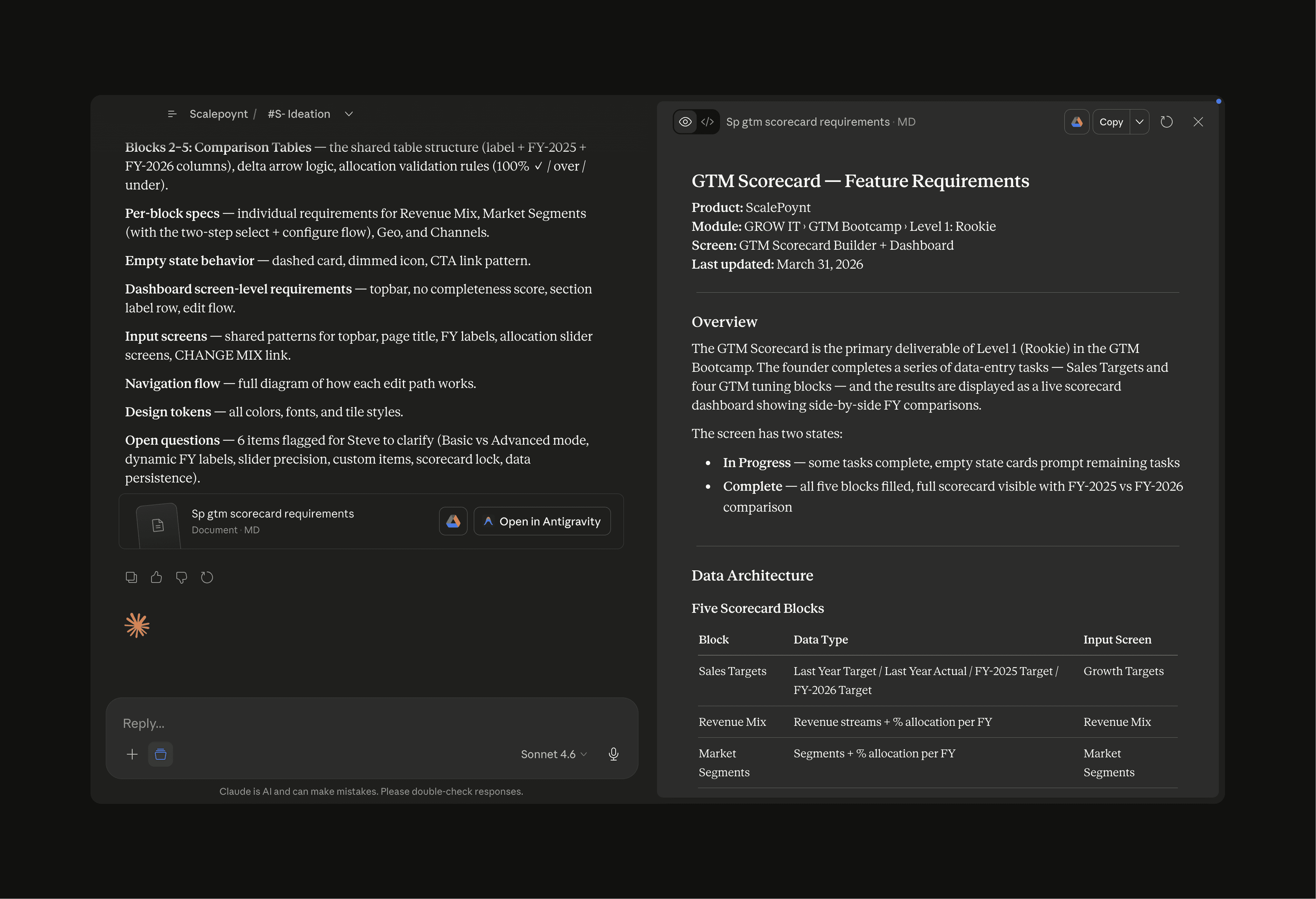
Three weeks is tight for a project with this much surface area. One thing that helped: I used Claude throughout the design process to generate quick ideas and rough mockups rather than spending time hunting for inspiration across Dribbble, Behance, and reference sites.
When I was stuck on how to lay out the Scorecard view, I’d describe the problem, the data I had, the constraints I was working with, the aesthetic it needed to fit and ask for a few directions. Not finished designs, just enough to unstick me. It’s faster than scrolling through portfolios looking for something adjacent, and the output is specific to your actual problem rather than someone else’s.

I used it similarly for the Builder. Describing the five-section structure and asking how other tools handle stepped configuration gave me two or three patterns to react to. From there I could make a call quickly rather than spending half a day in research mode.
The designs themselves are mine, Claude doesn’t know ScalePoynt’s brand, the founder’s preferences, or what the engineering team can actually build. But as a thinking partner for early-stage ideation, it cut the time between ‘stuck’ and ‘moving again’ significantly.
Outcome
Shipped to dev, validated with users
In development
The design is with engineering now. It goes live in around two months, replacing the existing Scorecard completely.
User tested
The sales team ran the prototype past a group of founders before dev started. The split view/edit approach got a clear positive response.
Founder sign-off
The product founder said this solved something he’d been trying to figure out for years. That was a good conversation to have.